Can Shopify Sidekick Manage Collections in Bulk? We Tested It on 500 SKUs
 Siva Baskara
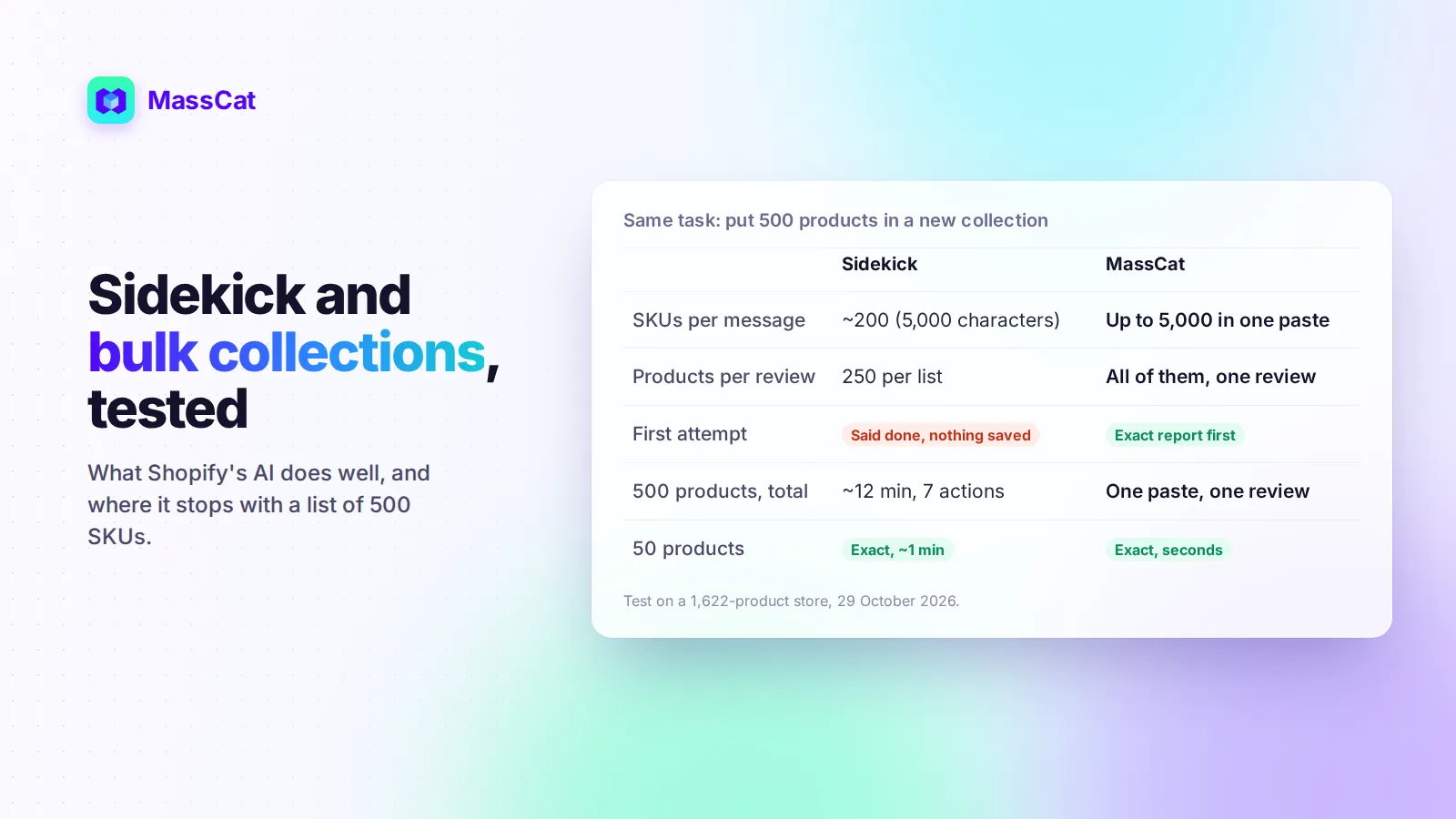
Since Shopify's Fall '26 Edition, Sidekick can build and edit collections from a chat message. So do you still need anything else to put a list of products into a collection? We ran the test on a store with 1,622 products: the same job with 50 SKUs, then 500 SKUs, checking every result product by product.
The short answer
- Up to about 200 SKUs: Sidekick does the job well, for free. It was exact in our test.
- From 250 products: it still gets there, but in batches of 250, with one review per batch and a few retries.
- Thousands of SKUs, or the same job every week: a paste-based tool is faster and easier to check.
What Sidekick does well
We pasted 50 SKUs (plus 2 that don't exist and 1 duplicate) and asked for a new collection. About a minute later, Sidekick had found the 50 products, listed the 2 unknown SKUs, ignored the duplicate, and prepared the change. Nothing is saved until you click Start review then Publish, which is a good safety net. The collection contained exactly the 50 expected products.
Sidekick is also good at rules. Ask for "a New Arrivals collection that removes products after 14 days" and it sets up the conditions (and the tags, if needed) for you. With Shopify's new collections, one collection can mix rules, hand-picked products and other collections, and Sidekick can build all of it.
Where it stops: 500 SKUs
Same request with 500 SKUs. Here is what happened, in order:
- The message box holds 5,000 characters, about 200 to 230 SKUs. We had to send the list in 3 messages.
- Sidekick said all 500 were found and ready. The review screen then showed "You can select up to 250 products in each list" and could not preview the change.
- Publishing saved nothing. No collection was created, and Sidekick only said the change "couldn't be confirmed", without saying why.
- The fix: two batches of 250, each with its own review and publish. The final collection was exact: 500 out of 500.
Total: about 12 minutes and 7 actions on our side. By the same logic, 2,000 SKUs would mean around 10 messages and 8 reviews. That's workable once. It gets painful for a weekly restock or a Black Friday selection.
Sidekick changes fast, so these limits may move. We'll update this article when they do.
Which tool for which job
| Your situation | Best fit |
|---|---|
| A few dozen products into a collection | Sidekick or the Shopify admin |
| A collection that follows a rule (tag, vendor, price, date) | Sidekick or Shopify's collection conditions |
| Hundreds or thousands of SKUs from a spreadsheet | A paste-based app such as MassCat |
| The same list job every week or every season | A paste-based app, with history and undo |
Doing it with MassCat
MassCat is built for the big lists. Copy the SKU column from Excel (up to 5,000 lines), paste it, and you get the report before anything changes: products found, unknown SKUs, duplicates, products already in the collection.
- No batches to manage: 500 or 5,000 products go through in one task.
- SKUs, barcodes or product titles, or a filter (inventory, tag, vendor, price, metafields).
- Add, remove, replace or empty collections, and add or remove tags on the same selection.
- Every change is in Recent activity and can be undone. MassCat only reverts what it changed.
Step by step: bulk add products to Shopify collections, or every way to bulk create collections.
Conclusion
Sidekick is a real step forward for collections, and for small edits it's all you need. Once your lists run into the hundreds or thousands of SKUs, the 250-product review limit and the chat length make it slow, and you have to check the result yourself. Try MassCat on your store: the Free plan lets you update 50 products to see it work on your own catalog.